Algorithm Creator
Discover trading algorithms automatically, no coding. You launch an exploration and the platform searches for you.
The Algorithm Creator is the heart of TradingNote: a machine that discovers trading strategies for you, without writing a single line of code. You launch an «exploration» and the platform tests thousands of combinations of indicators and parameters over historical data, then returns the algorithms that worked best. You just pick the ones you like.
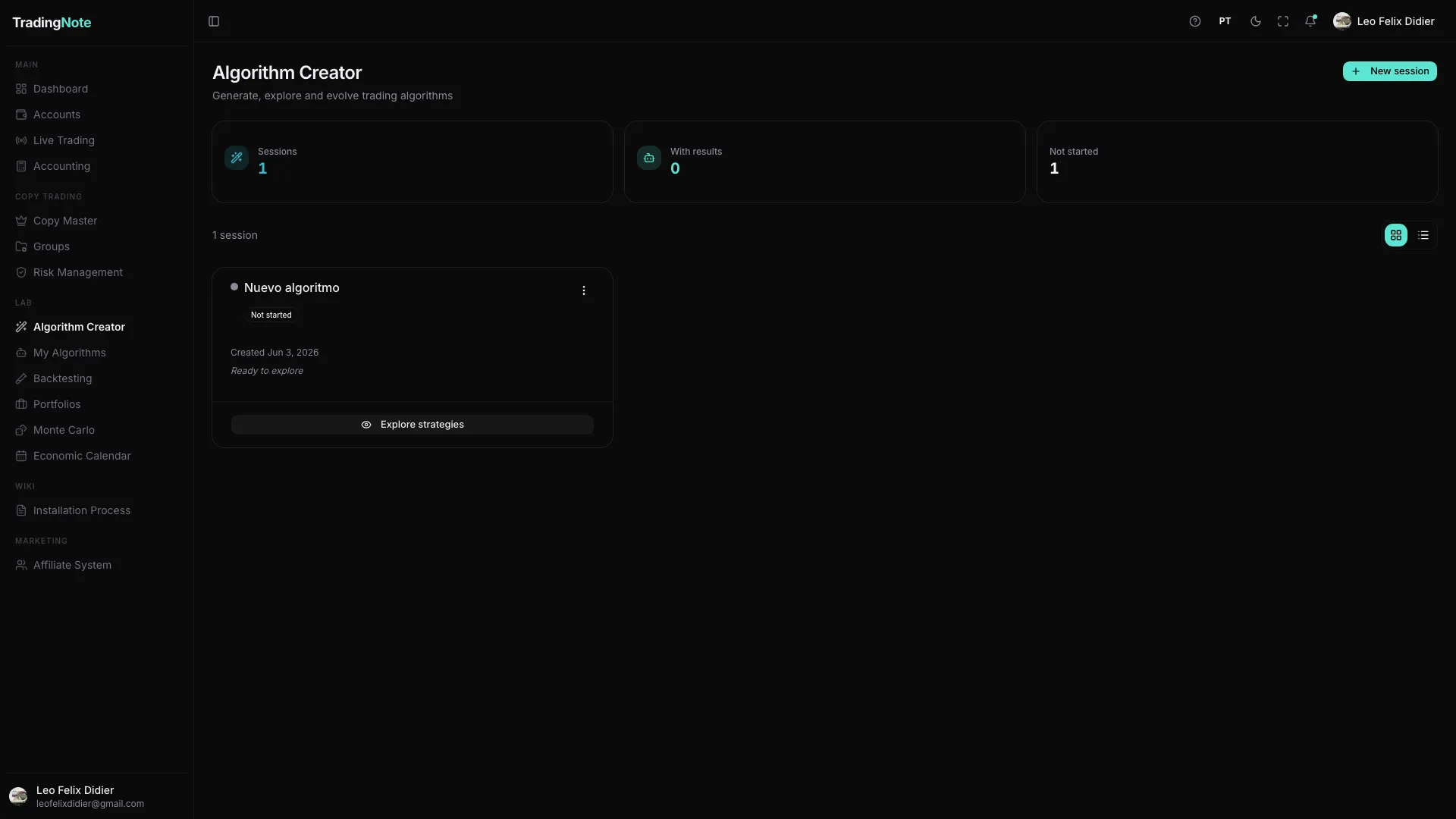
How to launch your first exploration
- 1
Create a new session
Press «New session» (top right). A session is a project for searching algorithms.
- 2
Define what to search
You choose the instrument (pair or asset), the timeframe and the date range. The platform will automatically test many indicators and combinations over that data.
- 3
Press «Explore strategies»
The exploration begins. The platform generates candidate algorithms and filters them by robustness. You can watch it live, even in a 3D view called «Neural Explorer» that draws the search like a neural network.
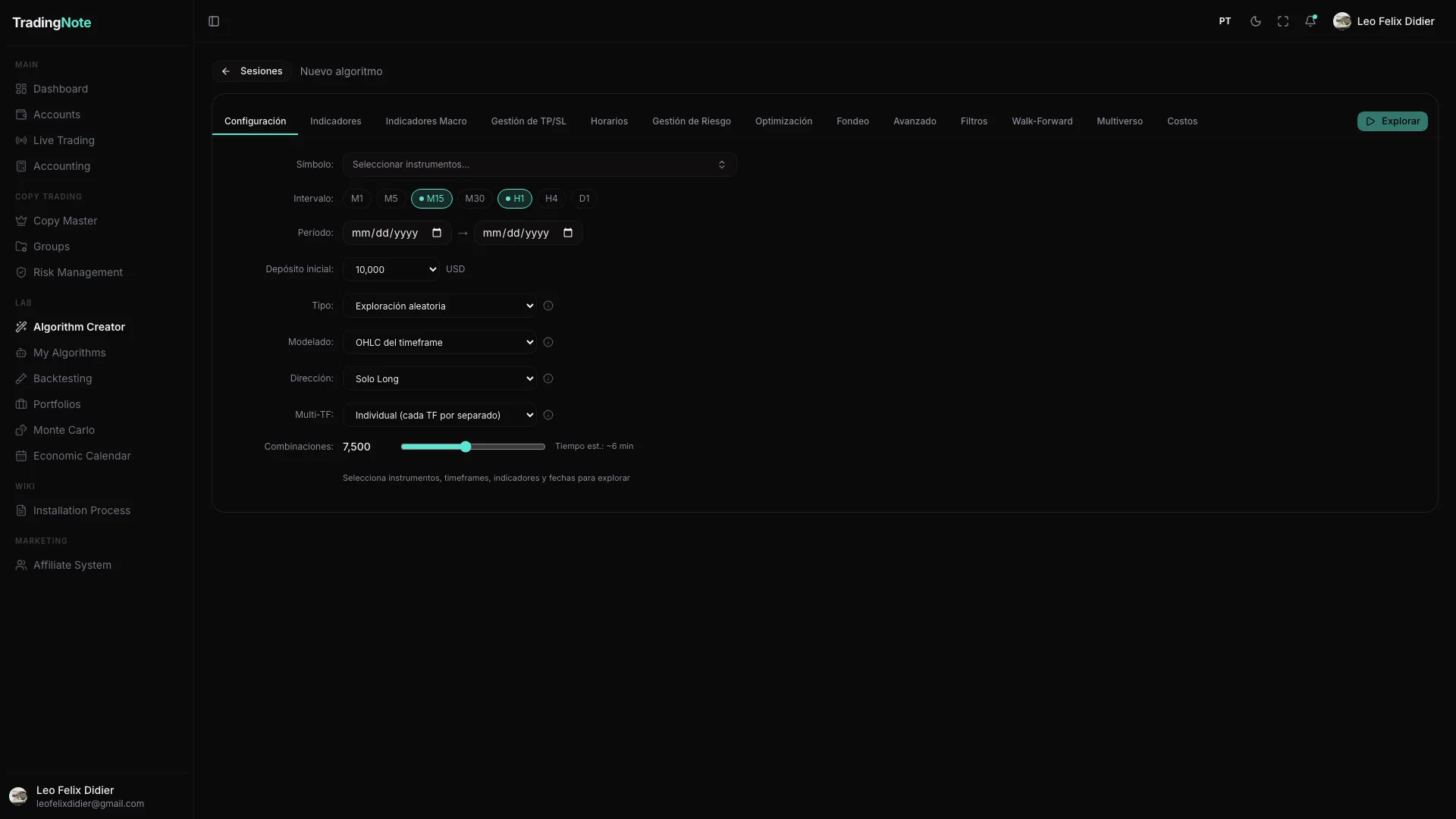
- 4
Review the candidates
When it finishes, the algorithms that passed the filters are saved. You'll find them in the «My Algorithms» section to study in detail.
How many explorations you can run at once depends on your plan. If one is queued, wait for the previous one to finish or upgrade for more capacity.
Don't settle for the first «pretty» algorithm that shows up. A good result in the past doesn't guarantee the future: that's why there's a validation step (DSR, Walk-Forward, Multiverse) you'll see in «My Algorithms».