Live Trading
Trade and watch the market in real time: chart, symbol list and buy/sell orders.
Live Trading is the screen to trade and monitor the market live. It opens in a new tab so you always have it handy while you browse the rest of TradingNote. It brings together three things: a real-time candlestick chart, a symbol list with prices, and a panel to send orders.
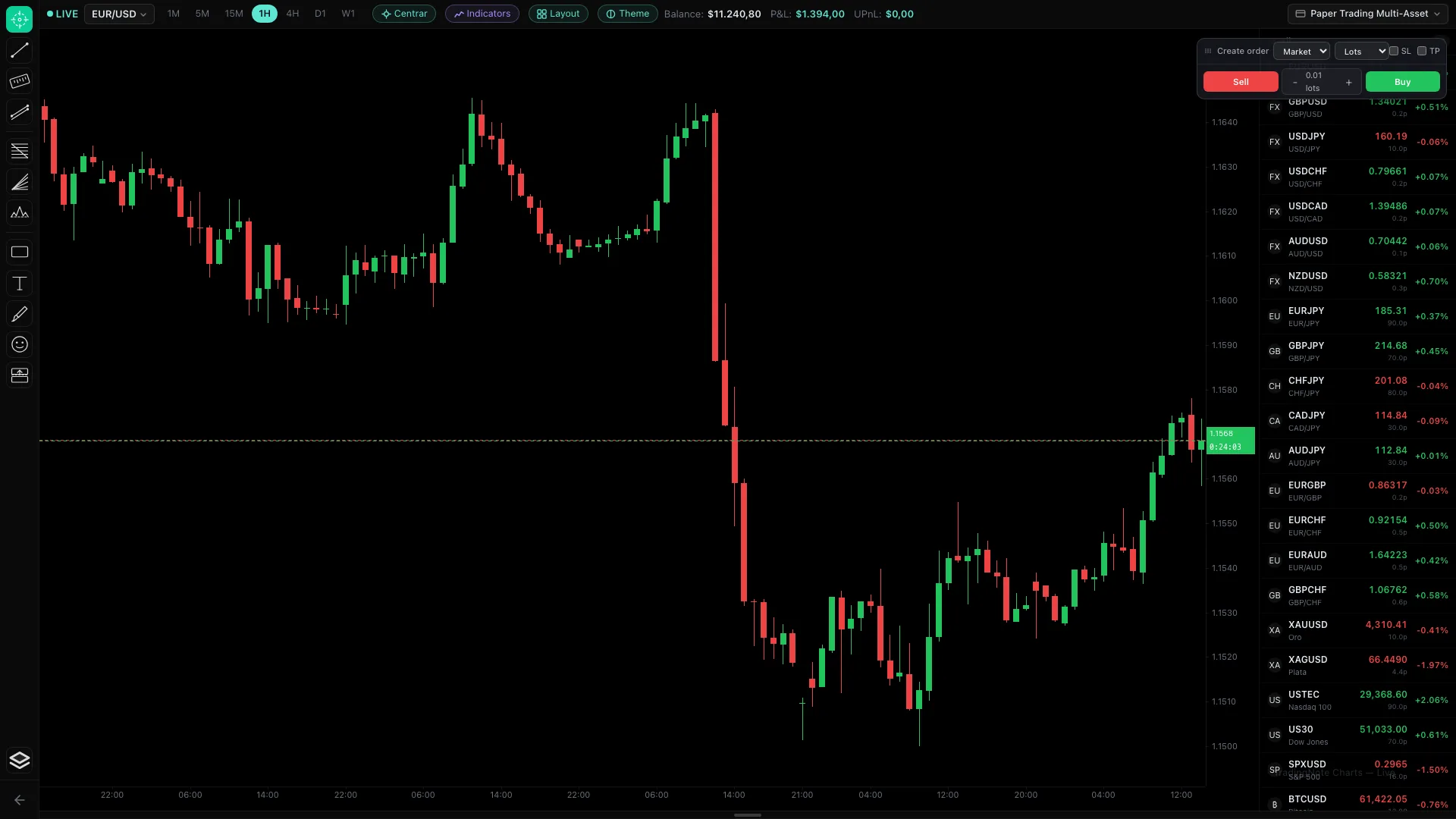
The screen areas
- Top bar: the active account (top right), the symbol and timeframe (1M, 5M, 15M, 1H, 4H, D1, W1), plus indicators, layout and theme.
- Left column: drawing tools (lines, rectangles, text, Fibonacci) to mark up the chart.
- Center: the live candlestick chart, with balance, P&L and floating P&L (UPnL) at the top.
- Right column: the order panel (Buy/Sell, lots, SL/TP) and the symbol list with price and daily change.
How to open a trade
- 1
Pick the account and symbol
Top right, select which account to trade with. Click a symbol in the right-hand list (EUR/USD, XAUUSD, etc.) to load it on the chart.
- 2
Set the size and limits
In the order panel type the lots (the size). Optionally set SL (Stop Loss, where you close if it loses) and TP (Take Profit, where you close if it wins).
- 3
Press Buy or Sell
Buy (green) if you think price will rise; Sell (red) if you think it will fall. The trade appears instantly and its floating profit/loss (UPnL) updates live.
Practice first with a Paper Trading account. You can open test buys and sells without risking real money and see exactly how the P&L behaves.
Floating P&L is always shown in US dollars (USD), even if the pair is quoted in another currency. That way you compare all your trades in the same unit.