Copy Master
Automatically copy trades from one account to others, even across different brokers.
Copy Master replicates the trades of a «master» account (the one generating signals) onto one or more «follower» accounts. When the master opens or closes a trade, TradingNote repeats it on the followers automatically. It's for trading several accounts at once without doing everything by hand.
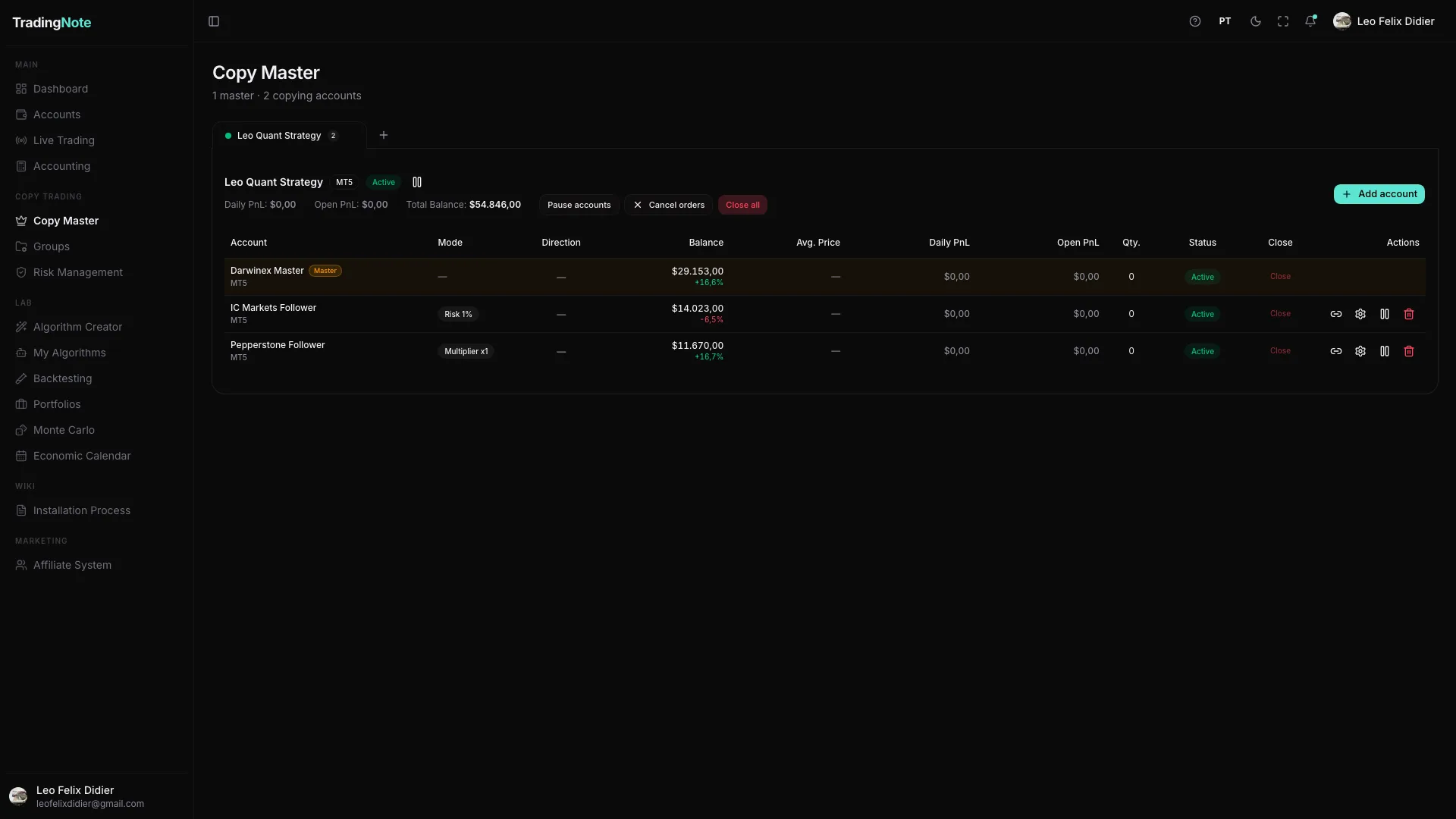
How to set up copying
- 1
Choose the master account
It's the account whose trades you want to replicate (for example, your main account or a signal provider's).
- 2
Add the follower accounts
Select one or more accounts that will copy the master. They can be at the same broker or at different brokers.
- 3
Configure symbol mapping and size
If the brokers use different symbol names, the mapping links each master symbol to its equivalent on the follower. Also set the size: fixed lot or risk percentage.
- 4
Activate the subscription
Once active, each new master trade is copied to the followers within seconds.
Within the same platform (e.g. MT5 → MT5) symbol mapping is usually automatic. Across different platforms (e.g. MT5 → TopstepX) you'll need to manually tell it which symbol matches which.
To be a copy provider you need an ELITE plan or higher. As a follower you can copy from lower plans. Check your plan in Billing.